
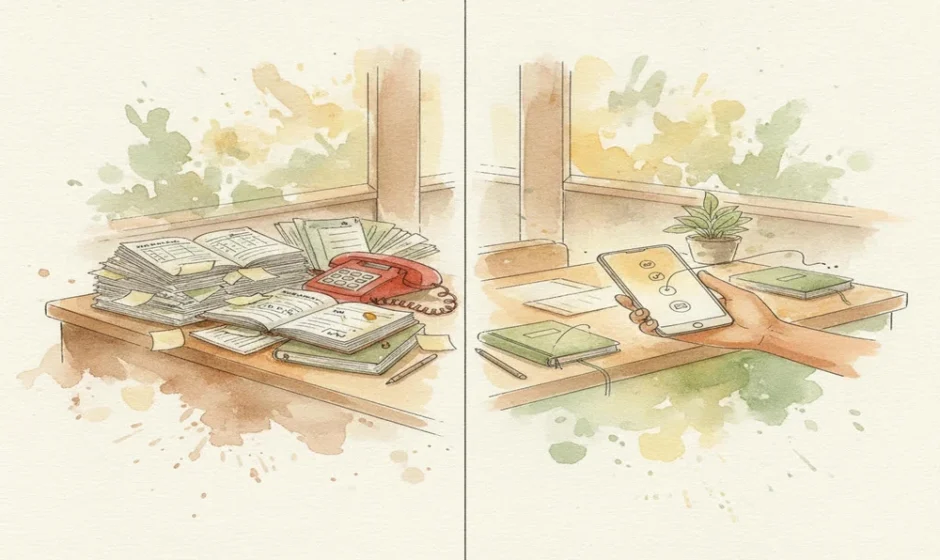

- A preschool management app matters most on the days the owner is off the premises. It turns the phone into a live window on attendance, fees, admissions, and staff.
- Remote monitoring only works when the mobile app and the underlying preschool management system share one live record, not scattered WhatsApp messages and paper sheets.
- Administrative accessibility means doing the actual work from a phone: approving leave, sending a fee reminder, posting a notice, answering a parent.
- Role-based access keeps off-site oversight both useful and safe, so each person sees only what their role needs.
- The app should be the same system as the desktop, not a cut-down add-on, so an owner who runs the school from a phone loses nothing.
Introduction
A preschool management app earns its keep on the days you are nowhere near the front desk. You are at the second branch. You are stuck in a parent meeting. You are in the car between the two.
Meanwhile, the school keeps making decisions without you. The gate is still checking children in. Fees are still coming due. A new admission enquiry just landed. A teacher just called in sick, and someone has to cover her class by nine.
Here is the problem. Oversight that only lives on a fixed office computer disappears the moment you step away from it. You end up running the school by phone calls and forwarded WhatsApp messages. That is slow. Worse, it leaves you acting on information that was true an hour ago.
So let me state where this post stands. The real value of a preschool management app for an owner is not the parent-facing polish. It is that the phone becomes the place you watch the school and act on it, in real time, from anywhere. That is remote preschool management, and it is the spine of everything below.
There is a second half to that position, and this post will defend it too. This only works if the app is the same system as the desktop, not a glance-only companion. A thinned-down copy that can show you a problem but cannot fix it is not an oversight. It is a notification.
Two questions, then. What can you actually monitor from a phone? And what administrative work can you actually get done on one? Let’s take them in order.
Why oversight breaks the moment you step away from the office computer
A preschool owner’s day is not spent at a desk. It is spent on branch floors, at the gate, in meetings, and on the road. So any system that assumes you are sitting at one screen fails at exactly the moment you need it most.
Think about the fallback most schools use. A WhatsApp group for staff. A separate group for parents. A register at the gate. A fee diary at the desk. An admissions notebook in a drawer. Each one lives in a different place and in a different person’s hands.
That setup creates silos. When information sits in disconnected spots that cannot share data, nobody holds the full picture. To keep all those channels matching by hand, every one of them has to talk to every other one. The more separate channels you run, the more pairs of updates someone has to keep in sync. Add a few more and it turns into a tangle no one can maintain. People in this field call those disconnected pockets islands of automation, and the name fits.
Now picture yourself off-site inside that tangle. You are at the mercy of whoever remembers to forward you the right update. You are not monitoring the school. You are being told about it, late, and only the parts someone chose to pass on.
A mobile app for preschool owners removes the forwarding step. Instead of waiting for a summary, you are on the same record everyone else is already using. The gate writes to it. The desk writes to it. You read from it. That is the whole idea behind remote preschool management: seeing and running the school without being in the room.
Why a preschool administration app has to let you act, not just look
Monitoring tells you something is wrong. Accessibility lets you fix it from where you are. That is the whole difference, and it is the part most mobile tools get wrong.
A glance-only app leaves the school stalled until you are back at a desk. You see the leave request. You cannot approve it. You see the overdue fee. You cannot send the reminder. So you make a note to do it later, and later is after the shift already went uncovered.
Here is what an owner should be able to do on a mid-range Android phone, between other commitments:
- Approve a staff leave request so a shift gets covered today, not tomorrow.
- Send a fee reminder to overdue parents without going through the office.
- Post a notice about a holiday, an event, or a sudden closure to all parents at once.
- Pull up a single child’s record to answer a question on the spot.
- Reply to a parent message directly.
This is where a preschool administration app stops being a dashboard and becomes a control surface. There is a clean test for a good one. Can you complete the action end to end on the phone? Or does it only show you the problem and then send you looking for a computer?
Parent replies show the mechanism at work. When messages, media, and feedback live in the same record as the child’s file, whoever is covering can answer with the full context already in hand. They are not hunting across three apps to find out what was promised last week. That is the job of a good preschool parent communication app, and it is why it belongs inside the same record rather than off in its own silo.
Accessibility from anywhere is what keeps the school running when you are not there. It is the line between a school that pauses when you leave and one that does not.
Why real-time sync and secure access decide whether you can trust the preschool management software behind the app
You are making decisions off a phone. So the data on that phone has to be current, accurate, and safe. Three mechanisms carry that weight. If any one of them fails, the phone view stops being something you can act on.
- Real-time sync. Real-time information reduces the delay between an event happening and the data you use to decide on it. That shorter delay is what lets the app support live monitoring and a quick operational response. In plain terms, if the mobile app and the underlying preschool management software sync in real time, you act on what is true now, not on a copy that was right an hour ago. A stale copy is worse than no copy, because it looks authoritative while it quietly misleads you.
- Accurate capture at the source. Structured entry, meaning typing into a defined field or scanning a code, beats re-keying numbers off paper. A 2012 study in PLoS One looked at highly structured check-box and numeric forms and found single manual data entry produced about 0.370 errors per 1,000 fields versus about 0.046 for double entry, roughly an eight-fold difference, with automated processing doing better still than single-key entry. The lesson for an owner is direct. A structured app field captured once at the source has fewer places to go wrong than a figure copied off a sheet into a system later. That is why the remote view holds up.
- Security on a device that leaves the building. You are carrying sensitive student and fee records on a phone, outside the school walls. The National Institute of Standards and Technology notes that mobile devices are often used to reach systems that process sensitive data, and its SP 800-124 Revision 2 guidance from 2023 covers securing both organization-provided and personally owned devices across the whole device lifecycle. Pair that device-level protection with the role-based access from the last section, and a lost phone does not become a lost database.
Put the three together. Trustworthy remote monitoring is the product of a current shared record held by the preschool management system, accurate capture at the source, and controlled, secure access. Miss one and the phone in your hand goes back to being a guess.
Why a mobile-first preschool management application should give an owner full parity, not a stripped-down view
So here is the recommendation, stated plainly. If you run the school mostly from your phone, a companion app that only shows you things is not enough. The app has to be the same system as the desktop, with the same record and the same actions.
The reason follows from everything above. Monitoring, actions, roles, sync, and security all rest on one shared record. A preschool management application that is genuinely mobile-first lets you do on the phone what you could do at a desk, because it is literally the same system, not a separate, thinner copy. The moment the mobile view can show but not act, you are back to needing a computer at the worst possible time.
That gives you a simple way to judge preschool digital management solutions. Ask one question. Does the phone give me real parity, see and act, or just a window, see only? Parity is the line between software that supports remote preschool management and software that only pretends to.
This is why BubbleBud Kids builds its app on top of its preschool management software, so the phone view and the desktop view are the same system reading one live record. If you are weighing how to run your school when you are not standing in it, that is the conversation worth having.
FAQs
Can I really run my preschool remotely from a mobile app for preschool owners?
Yes, as long as the app writes to the same live record as the desktop. You can watch attendance, fees, admissions, and staff, and you can act, approving leave, sending reminders, and posting notices, from anywhere. That is what remote preschool management means in practice.
What can a preschool management mobile app actually monitor in real time?
Live gate check-ins and attendance, fee status and pending collections, admission enquiries and their follow-ups, and the day’s notices and messages. They all show on one screen because they share one record, so the number you see is the number at the desk.
How does a preschool parent communication app fit into remote administration?
It lets whoever is covering answer parents with the child’s full context in hand, because messages live in the same record as the student file. Replies no longer depend on being at the office with the right app open.